Quick answer
Use the exact model manual to confirm which inputs are supported, their voltage/current or wattage limits, the required cable and charger, and whether pass-through is allowed. For a predictable baseline, charge an intact, dry station from its specified wall AC adapter with outputs off. Car, solar, and USB-C charging can work only when the model documents the port and source requirements; a USB-C-shaped port is not automatically an input. Estimate time from usable watt-hours divided by real input watts, then allow for conversion losses, tapering, weather, temperature, and loads. Stop using and charging for swelling, leaking, smoke, unusual odor or heat, water exposure, or visible damage.
- Start with the manufacturer-specified AC setup, then isolate car, solar, or USB-C variables one at a time; connector fit is not proof of compatibility.
- Car sockets, DC-DC converters, solar panels, and USB-C PD supplies have different limits. Verify the exact model manual, source rating, cable rating, polarity, and port direction before connecting.
- Never open the station, repair cells, bypass protection, change wiring, backfeed a building, use a fuel generator indoors, or charge a damaged battery.
What is the safest way to charge a portable power station?
Begin with the exact model manual, not the shape of a connector or a tip for a similar product. Confirm supported input ports, voltage/current or wattage limits, charger and cable requirements, temperature conditions, and pass-through rules. These details vary by model and revision.
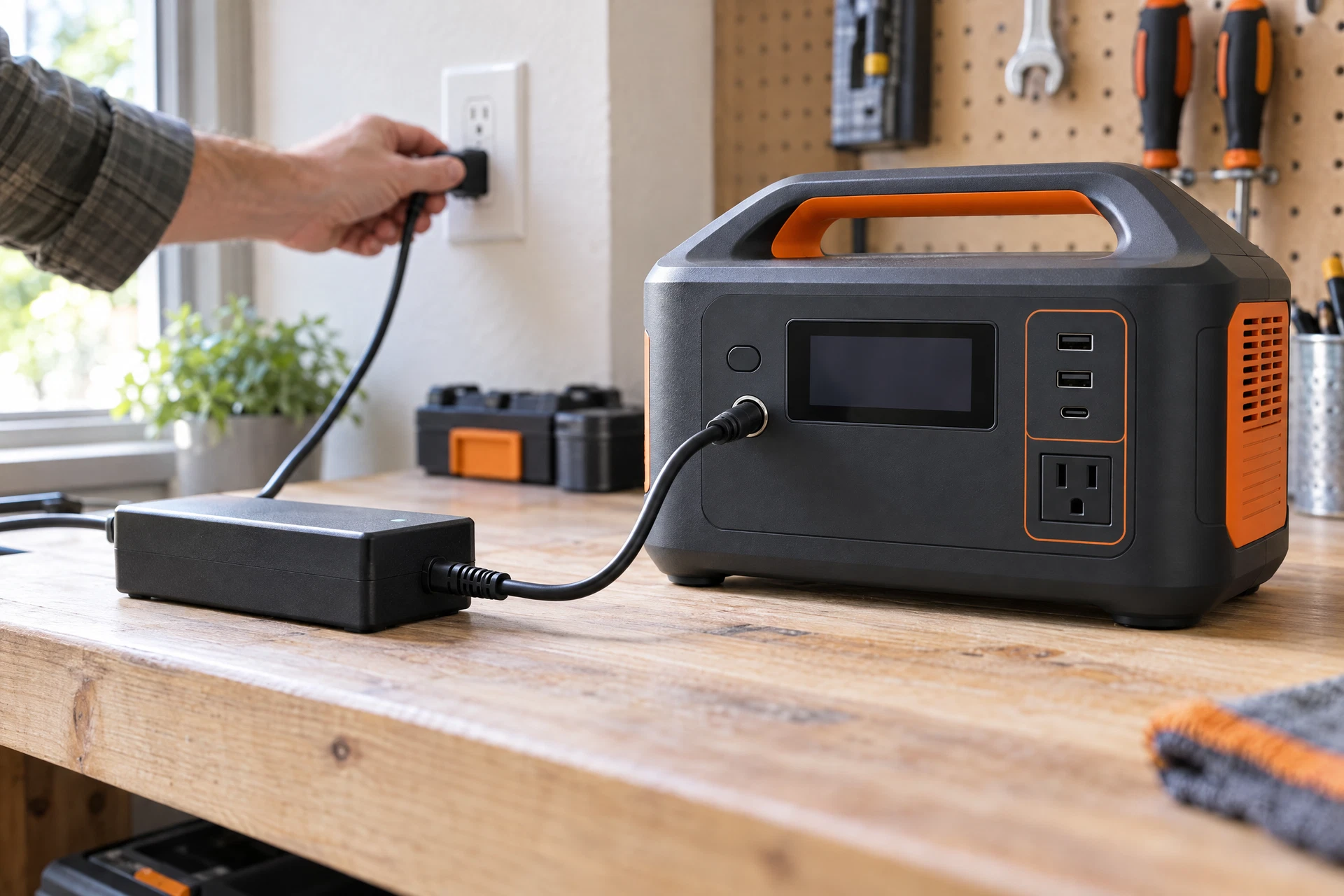
For a controlled baseline, place an intact, dry station on a stable, ventilated surface away from heat and moisture. Turn off unnecessary outputs and connect the specified wall AC adapter. If the station, plug, cable, or port is swollen, wet, cracked, melted, unusually hot, smoking, leaking, or odorous, stop instead of testing it. Do not open hardware, repair cells, bypass protection, or charge a damaged battery.
Which charging method fits the situation?
This is a decision aid, not a universal specification sheet. A station may omit one or more methods, and the exact manual controls.
| Method | Best use | What to verify first | Main limitation |
|---|---|---|---|
| Wall AC | Fast, repeatable home charging and a baseline test | Specified adapter, cord, input port, charge-rate setting, and outlet requirements | Needs a suitable mains outlet; wrong replacement adapters can damage equipment |
| Car | Recovery while traveling or away from a building | 12V socket behavior, approved cable, fuse/socket rating, engine or accessory rules, and station input limit | Often slower or unavailable; vehicle sockets and ignition behavior differ |
| Solar | Off-grid recharge when sunlight and space are available | Panel Voc, Vmp, Imp, connector/polarity, MPPT window, and maximum input limits | Cloud, shade, angle, temperature, and wiring reduce or interrupt input |
| USB-C | Convenient low-to-moderate input where explicitly supported | Input-capable port, USB Power Delivery profile, charger and cable wattage, and negotiated limit | Many USB-C ports are output-only or shared; charging may be slower |
Why is wall AC the best baseline?
Wall AC removes sunlight, vehicle wiring, and source negotiation from the first test. Use the charger, cord, and input socket named for the exact station. A plug that fits does not prove compatible voltage, polarity, communication, or thermal behavior. Do not substitute a laptop charger, higher-rated adapter, travel converter, or similar-looking connector.
Inspect accessible parts for cuts, crushed insulation, bent contacts, discoloration, looseness, or a hot plug. Use a normal outlet and follow the manual about extension cords, charge-rate controls, and input-enable buttons. With outputs off, note the starting percentage and input watts.
If input is zero, check the documented port and charging mode once. If the battery rises slowly, a charge limit, taper, conversion loss, temperature condition, or pass-through load may explain it. If the approved AC setup repeatedly fails, preserve the evidence and contact the manufacturer; the portable power station not-charging guide covers the diagnostic path.
How do 12V car, DC-DC, and inverter charging differ?
12V accessory socket
A vehicle accessory socket has its own fuse, wiring, connector, and ignition behavior; it is not a universal charging standard. Confirm station support, an approved cable, and the vehicle manual. Some sockets require accessory mode while others remain live when parked. Never replace a fuse with a different rating or use a hot, loose, discolored, or melted plug.
DC-DC charging
A model-specific DC-DC charger can regulate vehicle power when the station documents that method. It may require a dedicated, fused installation. Do not infer wiring size, fuse value, polarity, or alternator behavior from another vehicle or station; use the manufacturer's instructions and a qualified professional for wiring changes.
AC inverter fallback
An inverter can convert vehicle DC to AC for the specified wall charger, but adds conversion losses and another device whose ratings matter. The vehicle source, inverter, charger, and manual must all permit the arrangement. It is a fallback, not proof that any vehicle voltage is accepted. Keep the station secured and ventilated; stop for unusual heat or an input fault. Never run a fuel generator indoors.
What should you check before using solar?
Solar matching starts with the station's input window and panel label. Voc is open-circuit voltage, Vmp is voltage near maximum power, and Imp is current near maximum power. Compare the panel and any series/parallel arrangement with the exact manual. Never exceed maximum input voltage; cold-weather Voc can exceed a nominal label value. Current or wattage may be clipped or rejected by a model, but do not assume excess is harmless.
Verify connector, polarity, adapter approval, cable, and any required controller or MPPT range. Do not rewire, combine panels, or improvise an adapter unless documented. Cloud, shade, angle, heat, dust, snow, and wiring reduce input; keep the station and connections dry and record conditions. No solar voltage or charging-watt claim is universal.
Can USB-C charge a portable power station?
Sometimes, but USB-C is a connector format, not proof of input. A port may be output-only, input-capable, shared, or bidirectional USB Power Delivery (PD). Check the exact port and manual. The USB-IF USB Power Delivery overview explains negotiation; it does not make every USB-C port a PD input.
Verify the source's PD profile, the station's input wattage, and the cable rating. Use an intact compatible cable without hubs, splitters, trigger cables, or unverified adapters. A higher-wattage charger cannot force the station to accept more than designed. If USB-C input is not explicitly listed, use AC, DC, or solar instead. Remove other loads when testing a bidirectional port.
How long does charging take?
Use a rough estimate, then expect the real result to be slower:
Approximate hours = energy still needed in Wh ÷ average input watts.
Example: If a station needs an estimated 600 Wh and receives an average 120 W at its input, 600 ÷ 120 = 5 hours before additional losses and tapering. This is an example, not a promise for any model. If the display reports input power at the port, that may not equal the battery's net gain: conversion losses, an operating load, temperature limits, source variation, and charge taper all matter.
For a better estimate, record percentage, elapsed time, input watts, output load, and source. Solar and car input vary minute by minute; near full, tapering can make the final portion take longer. Do not override a limit or leave a hot, damaged, or unattended setup in an unsafe place.
Can you use the station while it charges?
Only when the exact model documents pass-through or UPS-style operation for that input and load. Incoming power can be shared with an appliance, converted through an inverter, or limited by the station's thermal and battery-management controls. A station may show input while the battery percentage stays flat because the load is consuming the incoming power.
For diagnosis, turn off output ports and unplug nonessential devices. If you need backup power during charging, stay within the model's documented output, transfer, and indoor-use limits. Never plug the station's AC output into a wall receptacle or use it to backfeed building wiring. The portable power for apartments guide explains the difference between powering devices directly and energizing a building circuit.
How should you choose a method by situation?
- At home: use the specified AC adapter as the repeatable baseline. If an outage is possible, charge before it begins and keep a safe list of essential loads; troubleshoot charging problems before you need the backup.
- In a car: choose the documented 12V cable for occasional recovery, or a documented DC-DC installation when the vehicle and station support it. Do not assume driving makes every socket available.
- Off-grid: choose solar only after checking Voc, Vmp, Imp, polarity, connector, and the station's input window. Plan around weather rather than a perfect-sun rating.
- With USB-C equipment: choose USB-C only when the station explicitly accepts input and the charger and cable support the required PD negotiation. Otherwise USB-C may be useful for output, not recharge.
If an icon, warning light, or repeated shutdown accompanies a charging problem, use the warning lights and icons guide and safe beeping and reset checklist. A code's meaning and a reset sequence are model-specific.
What should you record if charging fails?
Make support evidence-based. Record the exact model, serial number if safe, firmware or app version, battery percentage, source and port, charger and cable part numbers, input/output watts, charge setting, pass-through status, time, ambient conditions, sunlight or shade, vehicle ignition state, and whether the result changes with loads removed.
Photograph the display and connector area only when the unit is cool, dry, and safe to handle. Capture the complete code or icon, not a guessed abbreviation. If the station is hot, wet, smoking, leaking, swollen, or damaged, do not handle it to gather more evidence. The error-codes guide can help organize the record, but the exact manual and manufacturer support decide what a signal means.
When should you stop charging immediately?
The U.S. Fire Administration, National Fire Protection Association, and U.S. Consumer Product Safety Commission provide public battery-safety guidance. Ready.gov also recommends planning for outages without turning unsafe equipment or indoor combustion into a backup plan. Never bypass protection, make wiring changes, backfeed, or use a fuel generator indoors.
Portable power station charging FAQs
Can I use any USB-C charger that fits?
No. Confirm that the port accepts input, the charger offers the required USB PD profile, and the cable is rated and approved for the documented wattage. A USB-C output port is not a charging input.
Can I charge from a car while driving?
Only if the station and vehicle manuals support the method and the setup is secured, ventilated, and within the socket or DC-DC limits. A 12V socket, a dedicated DC-DC charger, and an inverter are different arrangements; none is universal.
Why is my solar input lower than the panel's watt rating?
Panel ratings are measured under specified conditions. Shade, clouds, angle, heat, wiring, the station's input limit, battery state, and conversion losses can reduce displayed input. Check Voc, Vmp, Imp, the manual, and weather before concluding that the station has failed.
Can I run a device while the station charges?
Only when pass-through operation is documented for that model and combination of inputs and loads. Remove nonessential loads when diagnosing because they can consume the incoming power and make charging appear slow or stopped.
How were the sources reviewed?
Source-update note: We check this guide against current official safety guidance and manufacturer manuals; last checked October 23, 2026. Model limits, connector behavior, charge rates, temperature thresholds, and reset steps can change, so confirm the current exact-model manual before connecting a source.
The official public sources below support general battery, outage, and USB Power Delivery context. They do not replace the exact manual for a station's input voltage, current, wattage, cable, connector, or pass-through behavior.
Answers to common follow-ups
Questions readers ask
Can I use any USB-C charger that fits?
No. Confirm that the exact port accepts input, the charger offers the required USB Power Delivery profile, and the cable is rated and approved for the documented wattage. A USB-C output port is not automatically a charging input.
Can I charge a portable power station from a car while driving?
Only if the station and vehicle manuals support the method and the setup is secured, ventilated, and within the socket or DC-DC limits. A 12V socket, a dedicated DC-DC charger, and an inverter are different arrangements; none is universal.
Why is solar input lower than the panel watt rating?
Shade, clouds, angle, heat, wiring, the station input limit, battery state, and conversion losses can reduce displayed input. Check Voc, Vmp, Imp, the exact manual, and weather before concluding that the station has failed.
Can I run a device while the station charges?
Only when pass-through operation is documented for that model and combination of inputs and loads. Remove nonessential loads when diagnosing because they can consume incoming power and make charging appear slow or stopped.
Sources & update note
How this guide was checked
Source update note: checked on October 23, 2026 against the listed first-party manuals, manufacturer support materials and official public-safety resources. Product features, firmware, warnings and safety limits can change; confirm your exact model manual before acting.
Keep going