Quick answer
A useful first estimate is time ≈ energy needed in Wh ÷ accepted input W. For example, 600 Wh at an average 120 W is about 5 hours, but real charging usually takes longer because of conversion losses, tapering near full, battery state, temperature, input limits, charge settings, changing solar or car power, and loads running at the same time. Use the station display or app’s actual input-watt reading and the exact model manual—not a universal time chart.
- Wh describes stored energy; W describes the rate at which compatible charging power is accepted.
- AC is usually the most predictable method. Solar, car and USB-C charging depend on their own source, cable, protocol and model limits.
- A slow reading is a clue to investigate, not proof of a failed battery. Stop charging for swelling, leaking, smoke, unusual heat, odor, shape change or odd noises.
What is the quick answer?
Charge time ranges from hours to a day, depending on battery size, accepted input and source. A small station on high-power AC may recharge quickly; a larger station using a 12V car socket or changing sunlight can take much longer. The product manual’s tested time for your exact mode is more useful than a generic “full charge” claim.
For a safe baseline, use the approved charger and cable with an intact, dry station, turn off unnecessary outputs, and watch the input reading. If the case is swollen, leaking, smoking, unusually hot, wet, cracked or giving off a strong odor, stop. Do not open the unit, bypass protection or try to repair its lithium battery.
What is the difference between Wh and W?
Watt-hours (Wh) describe the amount of energy stored in the battery. Watts (W) describe the rate of power flowing into the station. A 1,000 Wh battery is a larger energy container than a 500 Wh battery, while a 500 W input can deliver energy faster than a 100 W input when both sources are compatible.
Voltage and current help determine watts: watts = volts × amps. That relationship applies only within the voltage, current, connector and charging-protocol limits stated by the station. A higher-rated charger cannot force a station to accept more.
How do you estimate charge time?
Use this simple starting point:
Use the energy still needed, not automatically the station’s full nameplate capacity. If a display says the battery is half full, the remaining Wh is only an estimate because the percentage is calculated by the battery-management system.
Worked estimate: If a station needs an estimated 600 Wh and the display shows an average accepted input of 120 W, 600 Wh ÷ 120 W = about 5 hours. This is an estimate under steady-input conditions, not a promised finish time. If the input falls or the final portion tapers, the clock will run longer.
| What you know | Useful calculation or check | What can change the result |
|---|---|---|
| Remaining energy and stable input | Remaining Wh ÷ average accepted W | Conversion losses, heat, taper and battery state |
| Wall AC charger is connected | Compare display watts with the manual’s AC limit | Charge-rate or upper-limit settings, outlet or adapter limits |
| Solar input is connected | Watch the live input over time, not the panel’s headline rating | Cloud, shade, angle, temperature, wiring and MPPT/input limits |
| Vehicle or USB-C input is connected | Verify the port, source profile and cable in the exact manual | Car socket fuse/current, ignition behavior, PD negotiation and cable rating |
Why does real charging take longer?
The formula treats every watt as if it reaches stored battery energy. In practice, power conversion, heat, cables and battery-management electronics consume some energy. The input number on the screen may also be power at the charging port rather than the battery’s net gain.
Charging commonly tapers near full. The station reduces the accepted rate to manage cell voltage, temperature and battery protection, so the last part can take disproportionately longer. A high or low battery state can also change the rate. Temperature protection may reduce or pause charging, and the exact temperature thresholds belong to the model manual.
Charge-limit settings can stop at an upper percentage below 100%, which may be intentional battery-care behavior. Check the app before diagnosing a fault. If an AC, USB, DC or inverter load is running while charging, some incoming power is serving that load instead of increasing the battery percentage. Pass-through operation is model-specific.
How do AC, solar, car and USB-C differ?
AC wall charging
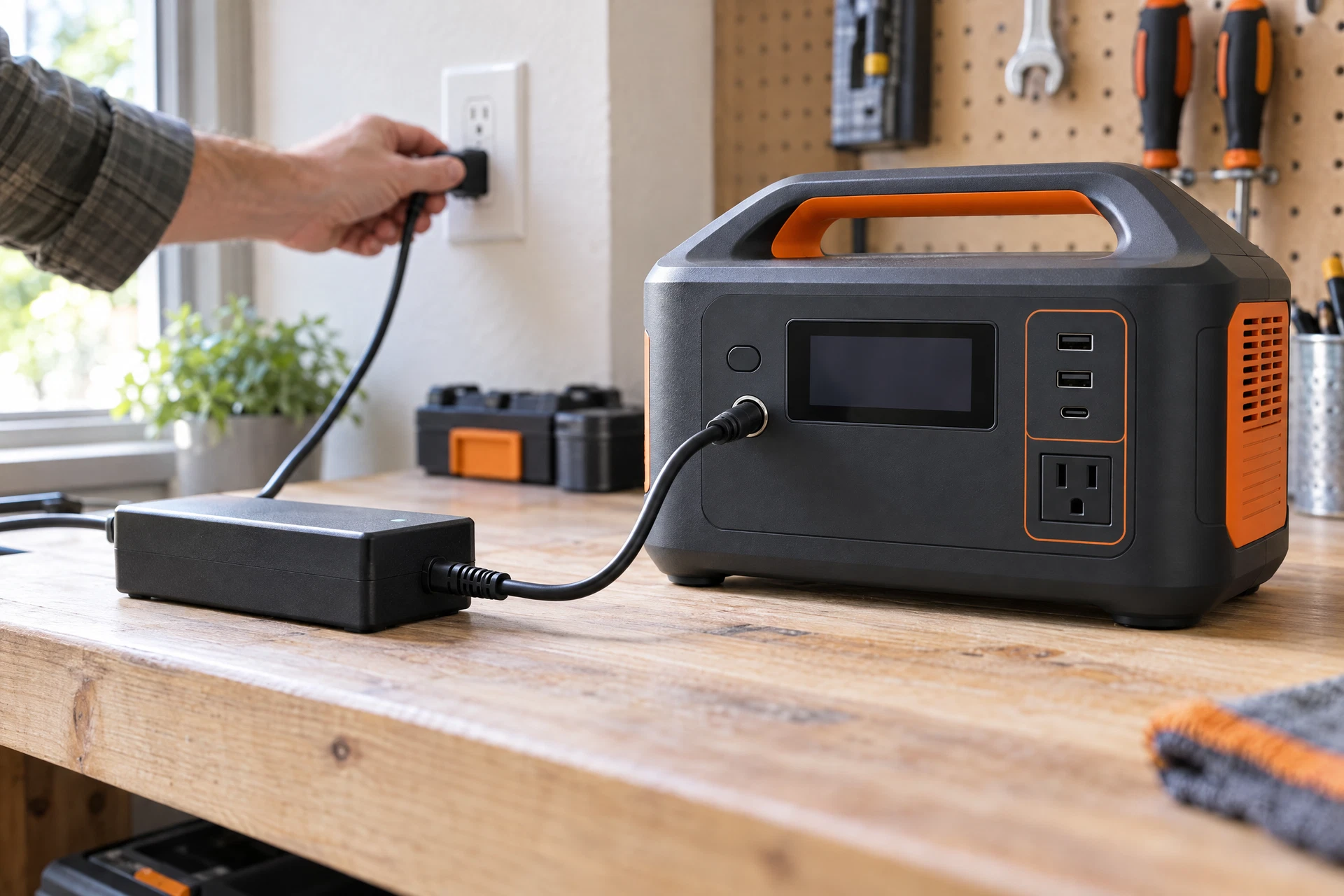
AC is usually the fastest and most repeatable option because the source is stable. Use the specified charger and cable, then compare the actual input watts with the station’s documented AC limit. The AC, car, solar and USB-C charging guide explains the compatibility checks.
Solar charging
Solar can recharge off-grid but varies minute by minute. Panel wattage is not the same as delivered power. Clouds, shade, angle, heat, dust, cable losses and the station’s voltage/current window all matter. Check Voc, Vmp, Imp, connector polarity and the manual before connecting panels; never exceed the stated input voltage.
Car charging
A 12V accessory socket, a dedicated DC-DC charger and an inverter running the approved AC charger are different setups. Car socket current, fuse, ignition behavior and vehicle limits can make charging slow or unavailable. Read our car-charging guide before relying on a moving vehicle for recovery.
USB-C charging
USB-C is a connector shape, not proof that a station accepts input. A port can be output-only, input-capable or bidirectional. Confirm the required USB Power Delivery profile, charger and cable rating in the exact manual. For the input-versus-output distinction, see the USB-C guide.
What does slow charging mean?
Slow charging means the station is accepting less power than you expected, or that the rate has fallen during the session. It is not automatically a battery failure. First record the battery percentage, source, port, input watts, output watts, charge-limit setting and elapsed time. Compare the live input with the source’s rating and the exact manual’s maximum.
For solar, observe the reading through changing light. For a car, check whether the socket is live and whether the vehicle manual limits it. For AC or USB-C, reseat the approved cable and verify the charger or PD profile without swapping in an unapproved adapter. If input is zero, the unit repeatedly stops, or the approved setup fails, follow the safe not-charging checklist. The Charging hub has related method guides.
What does an Anker SOLIX C1000 Gen 2 manual example show?
The Anker SOLIX C1000 Gen 2 (A1763) manual is a useful model-specific example only. It lists a 1,024 Wh capacity, maximum standard AC input of 1,200 W, UltraFast AC input of 1,600 W, and solar input of up to 600 W. Its listed car-charger figure is 12 V, 10 A and 120 W. These are not universal portable-power-station limits, and the manual says its USB-C ports are output-only.
The manual also shows an estimated time-to-charge display and app controls for an upper charging limit. An upper limit below 100% can make a station stop early by design. Its charging-temperature information is model-specific too. Treat every figure here as an example of why the exact manual and app matter, not as a safe setting for another model.
What safety and outage-planning limits matter?
The U.S. Fire Administration says not to charge lithium-ion batteries below 32°F/0°C or above 105°F/40°C, and to use certified or original equipment. Its stop-use signs include odor, color change, too much heat, shape change, leaking or odd noises. Keep the station out of direct sunlight and hot cars. A model manual may set narrower limits or additional warnings.
For outage planning, Ready.gov recommends identifying power-dependent needs and planning alternative power sources. Disconnect appliances and electronics against surges. Portable battery charging does not justify backfeeding a building, changing wiring or treating a station as a whole-home transfer system. Fuel-burning generators belong outdoors and away from windows.
Charging-time FAQs
How long does it take to charge a 1,000 Wh power station?
There is no single answer. Divide the estimated remaining Wh by the actual accepted input watts, then allow for losses and tapering. A 1,000 Wh station receiving 500 W is a roughly two-hour idealized estimate, not a universal finish time.
Why is my power station still slow near 100%?
Charging taper near full is common battery-management behavior. Confirm that a charge-limit setting has not stopped the session, and check the manual if the rate is low throughout the charge or accompanied by a warning.
Does a 200 W solar panel charge at 200 W?
Not necessarily. Panel ratings use specified test conditions. Sunlight, angle, shade, heat, wiring, the station’s input window and battery state can all reduce actual displayed input.
Can I run devices while the station charges?
Only if the exact model documents pass-through for that input and load. During a timing test, turn off unnecessary outputs so the load does not consume the incoming power.
Sources and update note
Source-update note: Checked October 24, 2026 against the listed manufacturer and official public-safety sources. Manuals, firmware, app settings, input limits and safety guidance can change, so confirm the current exact-model manual before connecting a source. Send corrections or changed manual details to the GridReady Editorial Desk.
Answers to common follow-ups
Questions readers ask
How long does it take to charge a 1,000 Wh power station?
There is no single answer. Divide the estimated remaining Wh by the actual accepted input watts, then allow for conversion losses and charging taper. A 1,000 Wh station receiving 500 W is a roughly two-hour idealized estimate, not a universal finish time.
Why is my power station still slow near 100%?
Charging taper near full is common battery-management behavior. Confirm that a charge-limit setting has not stopped the session, and check the exact manual if the rate is low throughout the charge or accompanied by a warning.
Does a 200 W solar panel charge at 200 W?
Not necessarily. Panel ratings use specified test conditions. Sunlight, angle, shade, heat, wiring, the station’s input window and battery state can all reduce actual displayed input.
Can I run devices while the station charges?
Only if the exact model documents pass-through for that input and load. During a timing test, turn off unnecessary outputs so the load does not consume the incoming power.
Sources & update note
How this guide was checked
Source update note: checked on October 24, 2026 against the listed first-party manuals, manufacturer support materials and official public-safety resources. Product features, firmware, warnings and safety limits can change; confirm your exact model manual before acting.
Keep going